

All features · CRM
Every enquiry reaches a deal, and every deal reaches the plan
Leads, deals, conversations and the sales plan live in one loop: a message from Telegram, VK or MAX opens inside the deal card, and every step stays in an immutable activity feed.
CRM in Akeda ERP takes a customer from the first enquiry to a closed deal: leads, deals, pipelines with stage rules, required fields, loss reasons and an immutable activity feed. Enquiries from Telegram, VK and MAX arrive in a shared inbox and are read from inside the deal card — messages are never copied, because the inbox and the card use the same log; duplicates are caught by the last ten digits of a phone number and by channel handle, and merging carries conversations and open work across. Monthly sales targets are set for the team and for each rep next to won revenue, and a customer enters the shared counterparty directory only together with an order, so sales and accounting stay in one database.
- 3 channelsTelegram, VK and MAX in one shared inbox
- 10 digitsduplicates caught by phone: “+7 (921)…” and “8921…” are one person
- plan vs actualmonthly target for the team and each rep beside won revenue
- 77 toolsleads and deals available to an agent over MCP
01Who gets what
For the sales rep
Half the commitments live in private chats and memory, and by evening nobody recalls what was promised.
Conversation, next step and due date sit on the deal card. The overview shows what needs a reply today.
For the sales manager
The forecast is assembled each evening from answers like “all fine, working on it”.
Pipeline, amounts and dates are visible at once, and the monthly plan sits next to the actual result per rep.
For the owner
The customer base is a salesperson's phone, and one day it leaves with them.
Customers, enquiries and decisions belong to the cabinet. A won deal registers the customer in the company directory.
02Key points
-
01
The conversation sits next to the deal
- Telegram, VK and MAX share one queue: reps see their own, admins see everything.
- Messages are never copied: the queue and the deal card read one journal.
- A lead or deal is created straight from the chat, customer included.
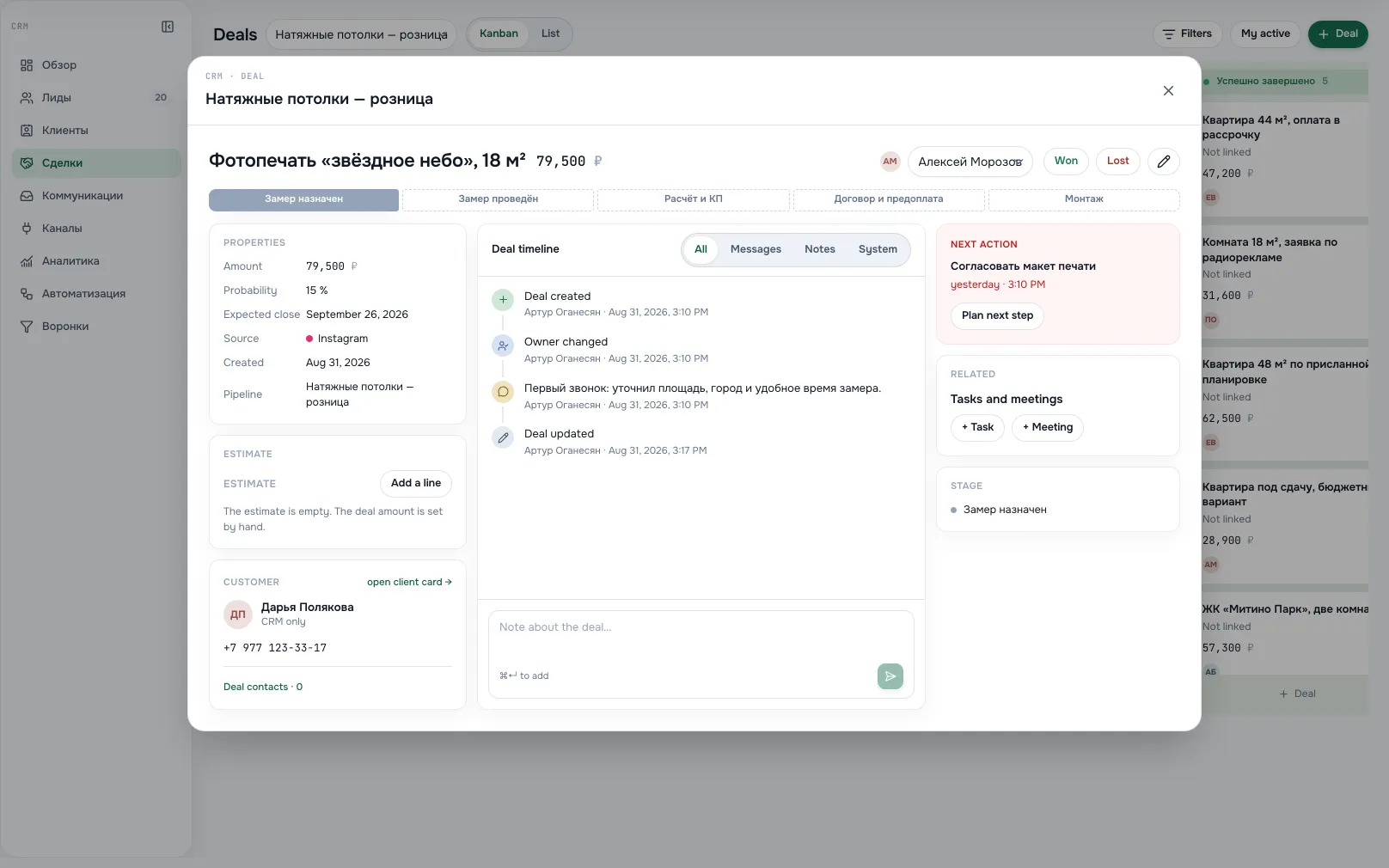
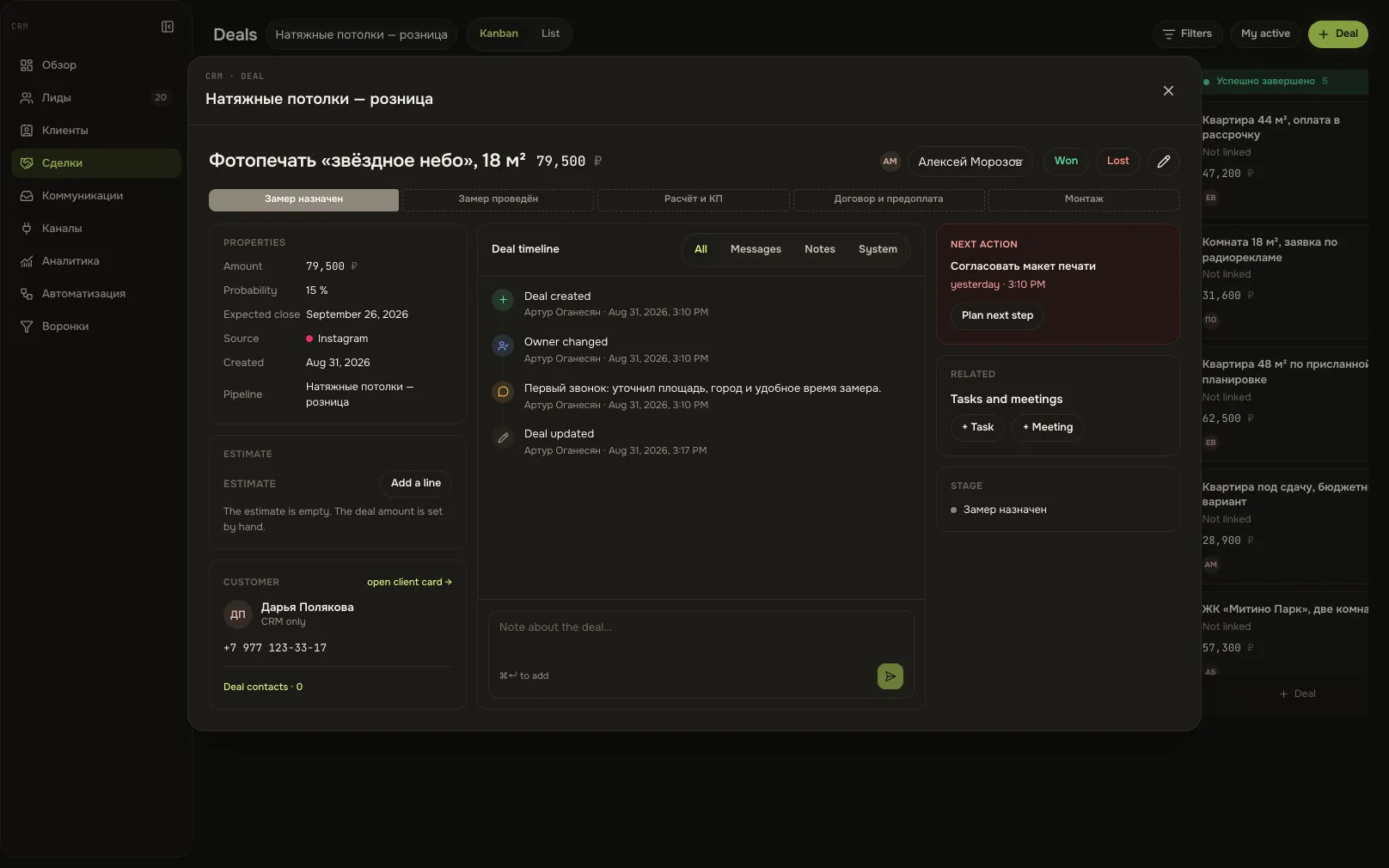
Deal card with conversationA screen from an Akeda ERP workspace -
02
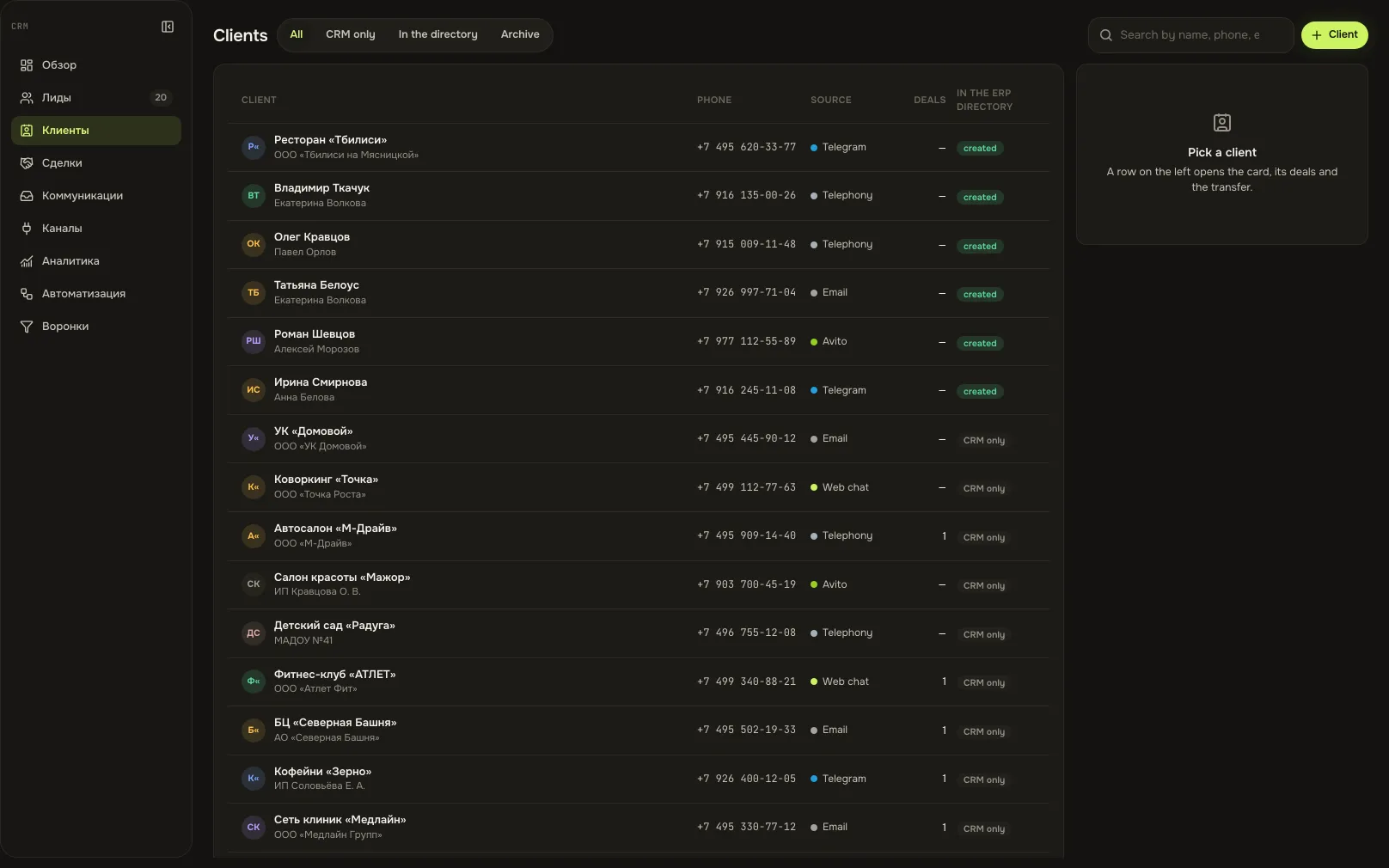
Duplicates caught before the second call
- Matching uses the last ten phone digits, the channel handle and linked customer cards.
- The system says what exactly matched, so nobody re-checks it by hand.
- Merging moves the conversation and the work; the source is archived with a link.
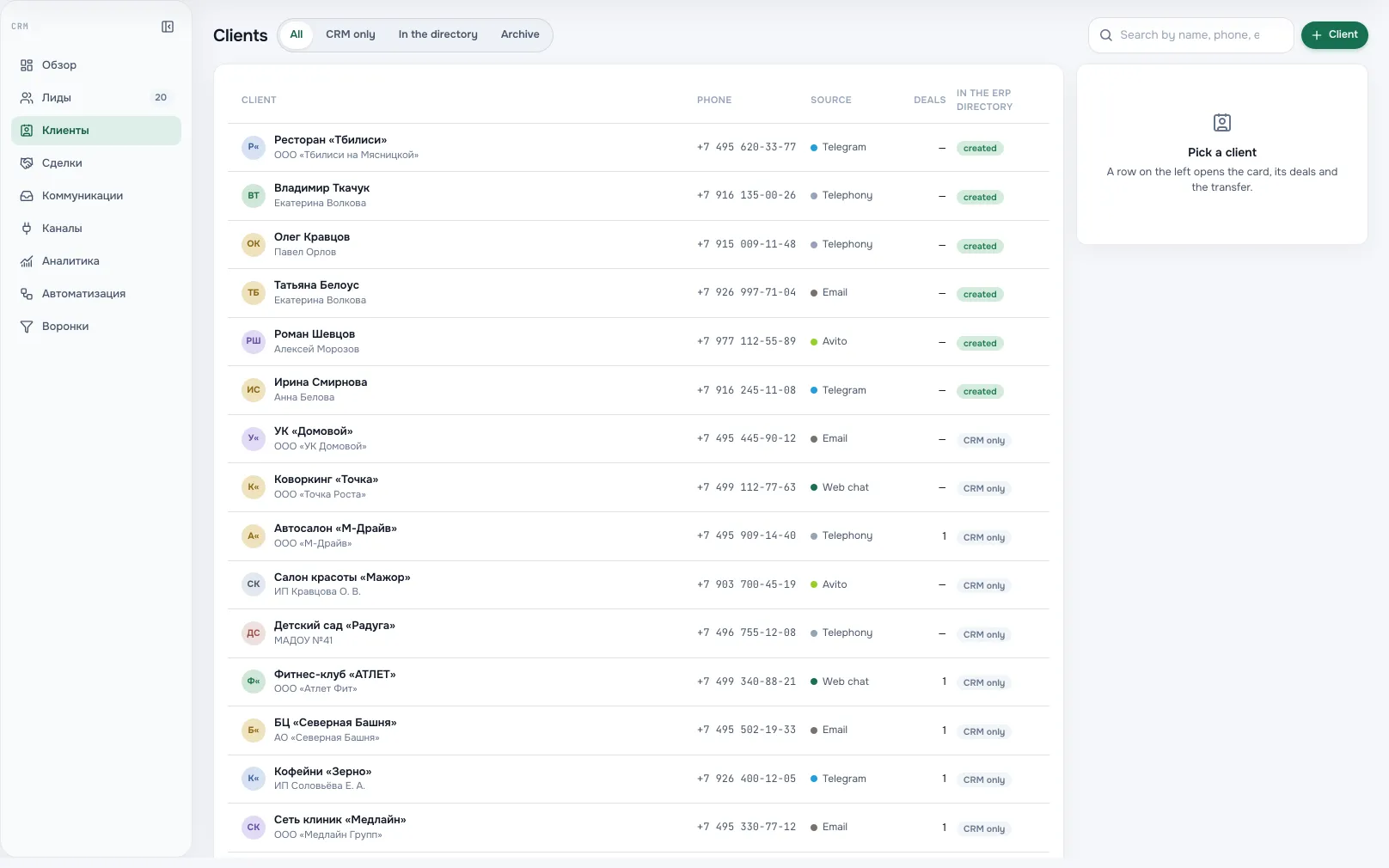
CustomersA screen from an Akeda ERP workspace -
03
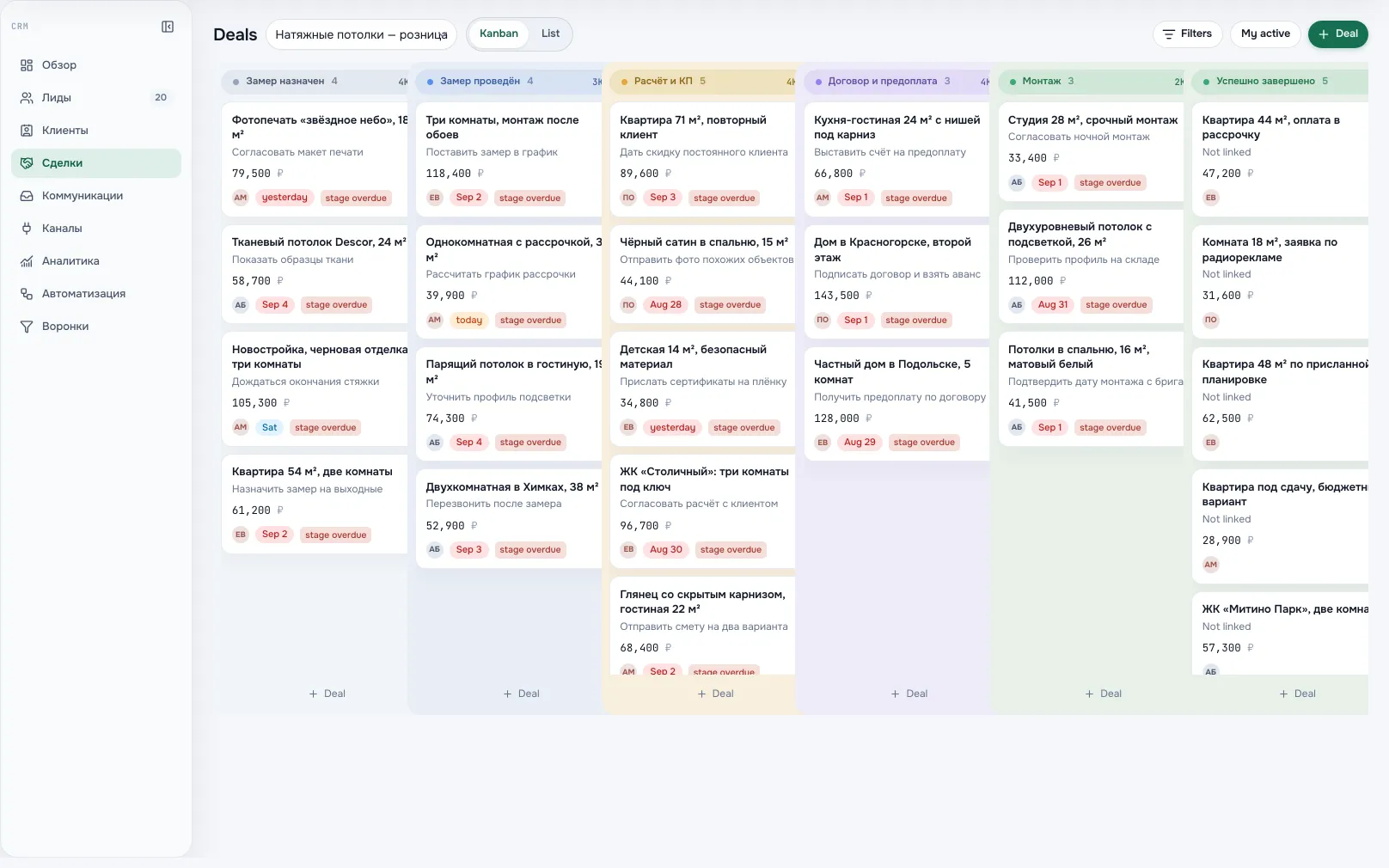
Deals follow the pipeline's own rules
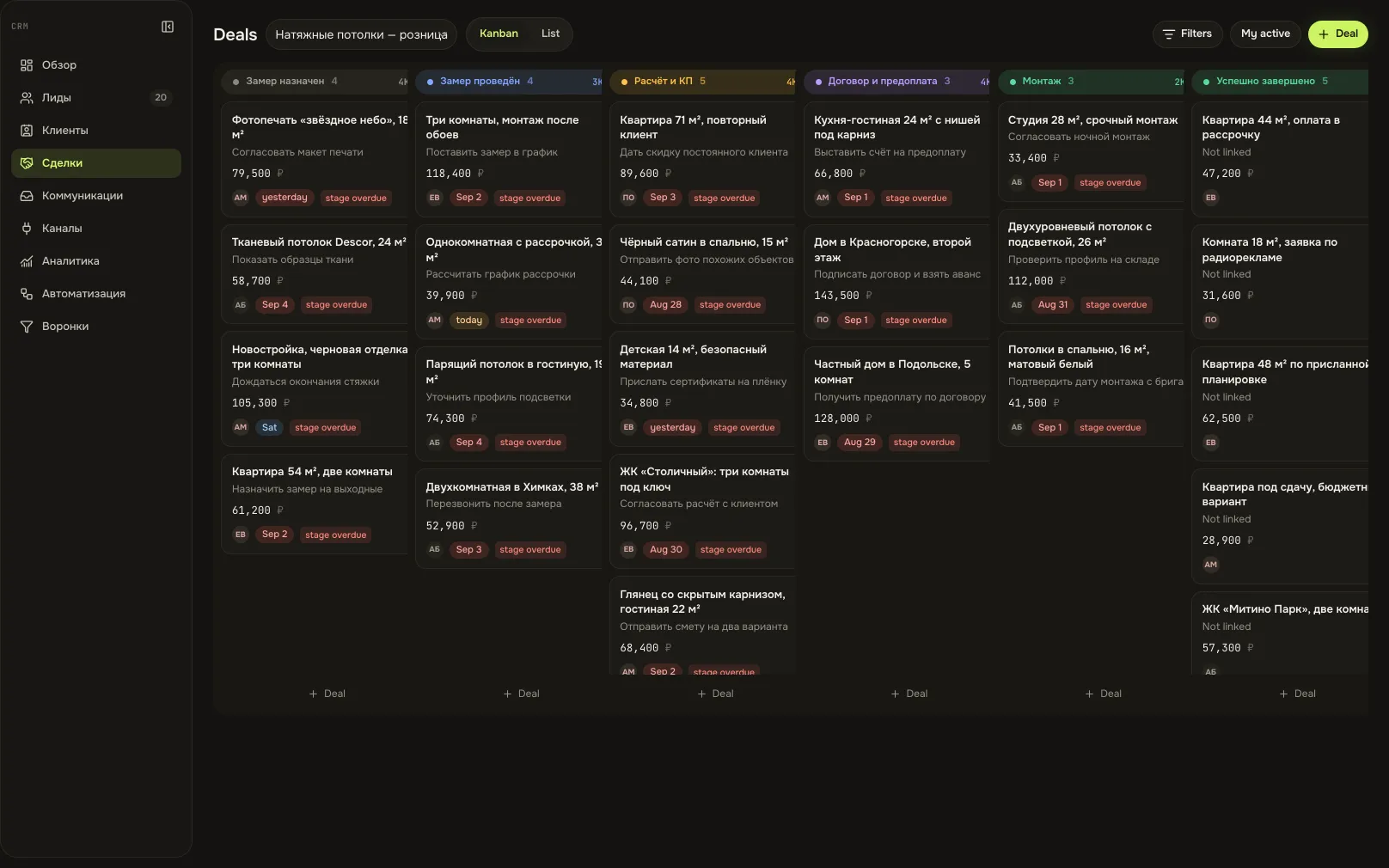
- Each stage carries its probability, response time and required fields, checked on every move.
- Moving to a lost stage demands a reason; a closed deal reopens only explicitly.
- Creation, assignment, stage changes and closure land in a feed that cannot be rewritten.
Deals by pipeline stageA screen from an Akeda ERP workspace -
04
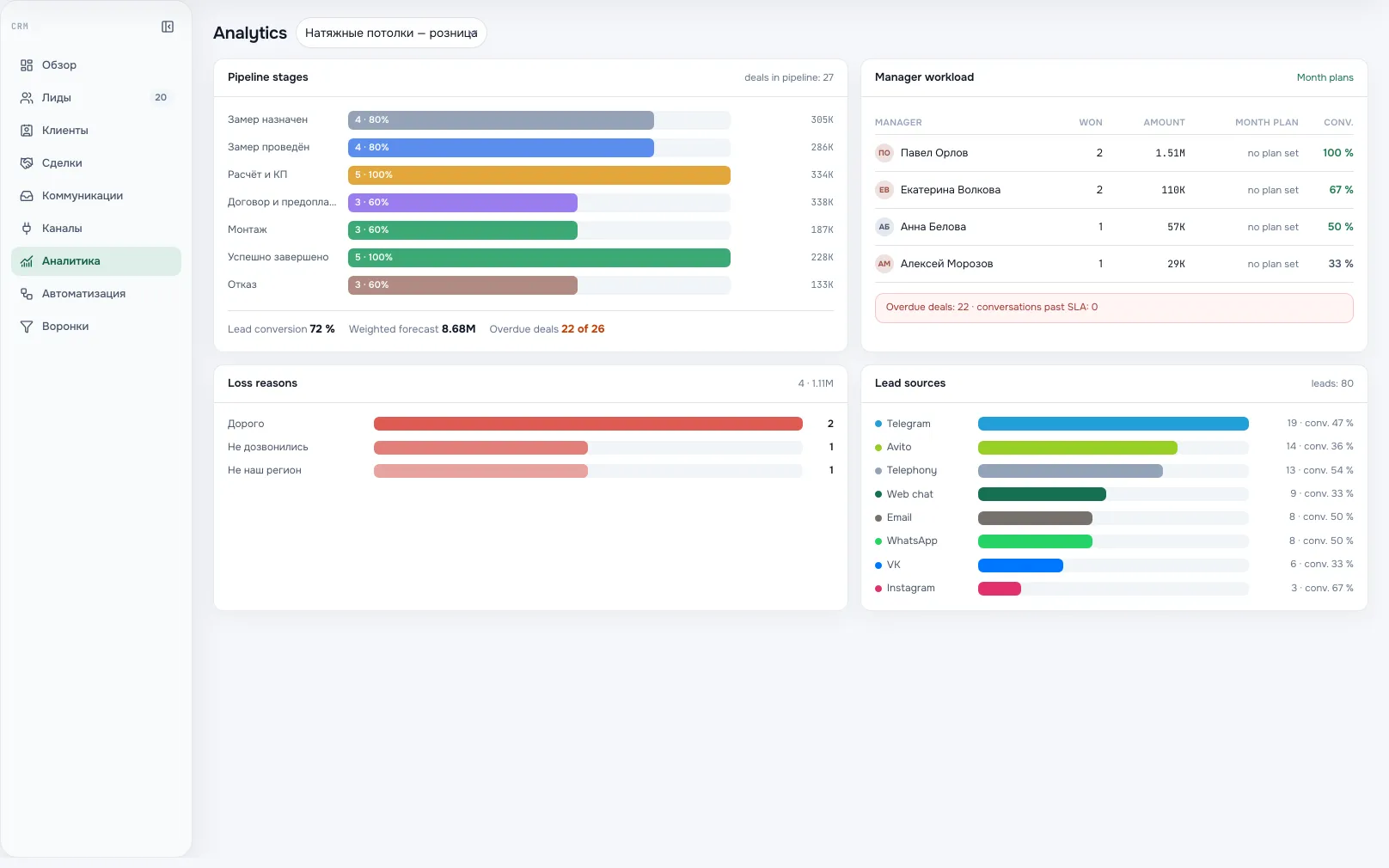
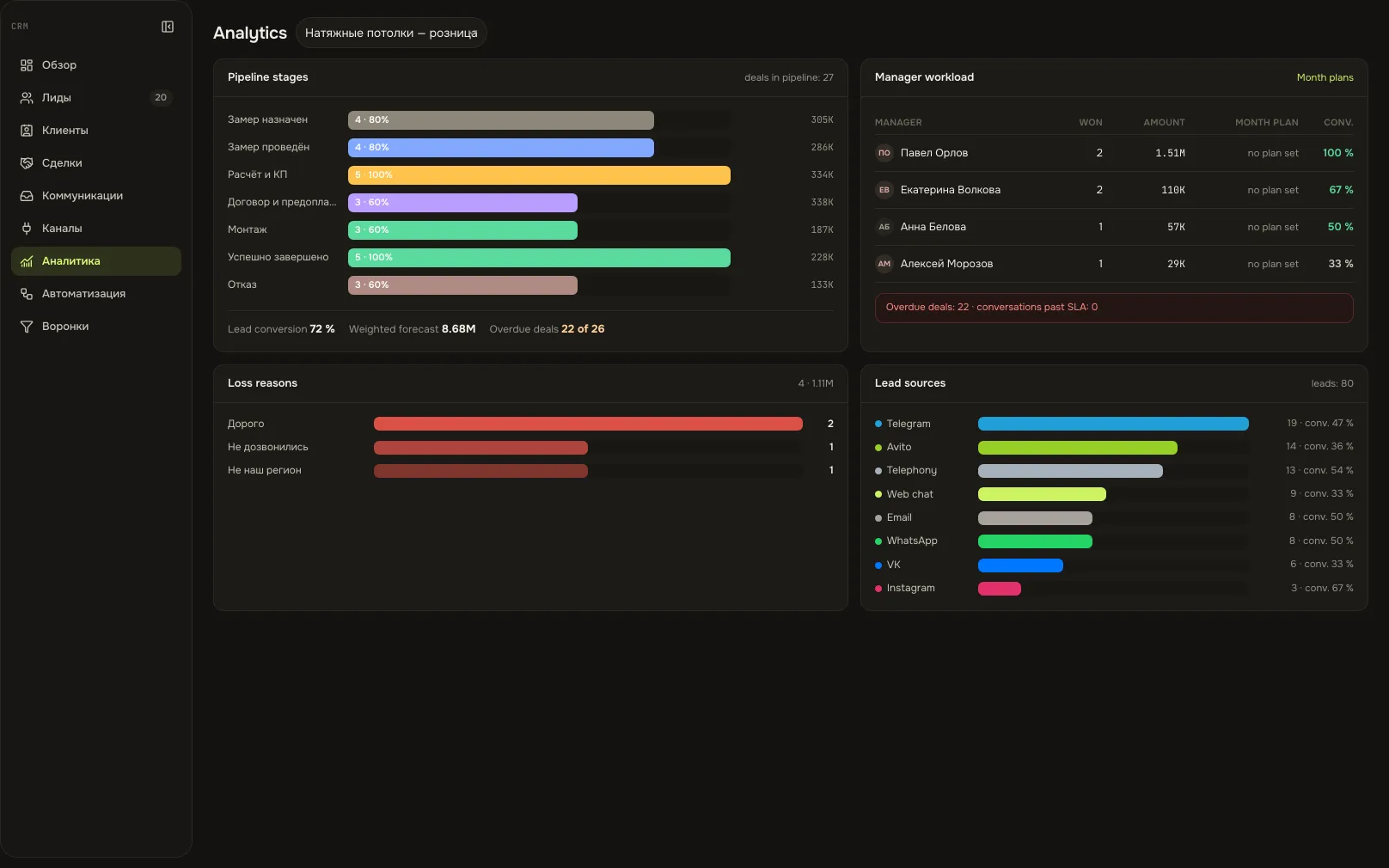
The plan next to the result
- Targets are set per month: one for the team, one for each salesperson.
- In the workload view the target stands beside the amount won in that same month.
- Automation rules react to deal events by creating a task or assigning an owner.
Sales planA screen from an Akeda ERP workspace
03One day with the module
- 09:10
The overnight queue
Enquiries from three channels wait in the inbox. The rep takes theirs, and the match with yesterday's call is flagged already.
- 11:00
A lead becomes a deal
Qualification with a reason, conversion in one transaction: the deal, its first history entry and the lead decision are saved together.
- 13:20
A meeting from the card
A calendar event and a task with an owner are created from the deal. A failed external call never rolls the deal back.
- 16:00
Deal won
The customer is registered in the company directory: invoices, shipments and money follow. Repeating the transfer creates no duplicate.
- 30th
Month closed
Plan and actual per salesperson side by side. You see where the pipeline stalled, not who forgot to report.
04Works together with
- financeFinance
The customer from a won deal enters the directory, and their payments enter the reports and the payment calendar.
Learn more - stockStock
A shipment to that same customer reserves goods and issues batches from the warehouse.
Learn more - tasks and calendarTasks and calendar
A task or a meeting is created from a lead or deal — with an owner, a due date and its own discussion.
Learn more - integrationsIntegrations and API
Deals, leads and enquiries are available to the assistant and external agents within the employee's permissions.
Learn more
05In brief
MCP tools: akeda_go_crm_deals akeda_go_chat_conversations akeda_go_core_create_document
Integrations: Telegram · VK · MAX
06Questions
CRM
Can we connect telephony?
Not yet. Telegram, VK and MAX work for inbound and outbound messages. Avito, email and telephony appear in the channel catalogue, but a connection opens only after a real two-way test.
Can we migrate a base from another system?
Customers, leads and deals are created in the interface or through the open API, and a one-off migration goes through it. There is no dedicated import wizard for a specific CRM.
How is a CRM customer different from a directory counterparty?
CRM takes the full flow of enquiries, cold ones and spam included. A customer reaches the accounting directory once — together with the order, when money and shipments appear.
Do reps see each other's deals?
The role decides. A rep works with their assigned enquiries, the team report needs a separate permission, and pipelines, automation and channel connections belong to the CRM admin.
What can an agent do with deals?
Read leads, deals, customers and conversations, create and move deals — strictly within the permissions of the person it is connected as. Channel credentials are never handed over: connecting a channel stays in the interface.
See Akeda
with your workflow.
Tell us what you want to connect or automate. We will show how the process could work in Akeda, what data it needs and where to start.
- 01Understand your needs
- 02Explore connected workflows
- 03Define the next step
Request received
Thank you! We have your number and will get in touch on the next working day.
What happens next: a short conversation about your process — what to connect, which data is needed and where to start. No sales pitch.